
Surfshark vs Bitdefender VPN
You subscribe to an antivirus suite and notice a VPN quietly included, then wonder if that is really enough. Connections feel fine at first, but streaming fails, speeds fluctuate, or settings seem oddly limited. This friction is common when VPNs are bundled as secondary features rather than core products. Users often assume encryption alone solves everything, until daily use exposes gaps in performance, flexibility, or transparency. The difference usually appears only after weeks of relying on the connection, not during the first login.
This choice matters now because people are actively weighing Surfshark against Bitdefender VPN when renewing security subscriptions or setting up new devices. Many already pay for antivirus protection and hesitate to add another tool, while others distrust bundled options by default. A common mistake is assuming both approaches serve the same needs. In reality, expectations around streaming access, network coverage, and everyday reliability differ sharply once you move beyond casual browsing and start depending on the VPN across work, travel, and shared networks.
Reading on will give you clearer criteria for judging these services in practice. You will see where specialist VPNs and antivirus-bundled VPNs set their limits, and which compromises tend to stay hidden until something breaks. The focus is on real behavior, not checklists. By the end, you should understand what you gain, what you give up, and why choosing Surfshark or Bitdefender VPN depends on how you actually use the internet when privacy, convenience, and reliability collide in everyday situations.
Table of Contents
Key Points
- Surfshark offers a large network of more than 4,500 servers across 100 countries with unlimited device connections, which makes it very attractive for streaming, torrenting, travel and securing many devices at once.
- Bitdefender VPN now provides access to over 4,000 servers in more than 100 countries and integrates tightly with Bitdefender’s security suite, but it limits usage to 10 devices at a time and still misses some of the advanced VPN-specific features that specialist providers include.
- For users who prefer hands-off protection for an entire home or office network, a hardware solution such as a VPN router can deliver “set it and forget it” security without juggling multiple app installations and logins.
Quick Comparison: Surfshark vs Bitdefender VPN
| Feature | Surfshark | Bitdefender VPN |
|---|---|---|
| Headquarters | Netherlands; independently audited no-logs policy | Romania; part of antivirus company Bitdefender, advertises a no-traffic-logs policy |
| Server count | 4,500+ servers | 4,000+ servers |
| Countries/locations | 100 countries | 100+ countries with steady expansion over recent years |
| Simultaneous devices | Unlimited devices | 10 devices |
| Starting price (monthly) | Long-term plans from around US$1.99 per month | Annual Premium VPN plan from about US$2.92 per month in the first year |
In short, Surfshark targets users who want a feature-rich VPN at a low long-term cost, especially households with many phones, laptops, smart TVs and tablets to protect at once. Bitdefender VPN acts more as an add-on for people who already use Bitdefender’s antivirus or security suite and prefer to manage everything from one vendor.
Surfshark’s unlimited devices and more advanced VPN-specific options make it especially appealing for tech-savvy users and larger families, while Bitdefender VPN is better suited to individuals or small households that value integration and simplicity over deep customization. If neither option feels like the right fit, you can also look at a dedicated VPN router or simple software such as our Shellfire VPN for effortless whole-network protection with minimal setup.
Infrastructure & Global Coverage
| Infrastructure | Surfshark | Bitdefender VPN |
|---|---|---|
| Server count | 4,500+ servers worldwide | Over 3,000 servers in more than 100 countries |
| Physical vs virtual | RAM-only physical servers, with a small number of virtual locations | Physical servers leased via Hotspot Shield infrastructure; no RAM-only design |
| Regions covered | Extensive coverage across Europe, Asia, the Americas, Africa and Oceania | Broad coverage with dozens of countries in Europe, Asia-Pacific, the Americas and Africa/Middle East |
Surfshark now runs a network of more than 4,500 servers in 100 countries, so it is usually easy to find a nearby server with low latency, whether you are at home or travelling. All production servers are RAM-only, which means configuration and session data are stored in volatile memory and wiped whenever a server is rebooted or powered down. In practice, that reduces the risk of long-term data retention and is a useful extra layer of privacy on top of the no-logs policy.
Bitdefender VPN relies on Hotspot Shield’s infrastructure and offers access to over 3,000 servers across more than 100 countries. That is impressive for a VPN that is not the main product of the company and is perfectly adequate for everyday use, although it still trails the largest stand-alone VPN providers in terms of raw server numbers and specialized city-level locations. The network has grown steadily over the past few years, which is a good sign if you are looking for long-term support and stability.
Both services give you plenty of global coverage. The main difference is that Surfshark puts more emphasis on VPN-first design choices such as RAM-only servers and a very wide mix of locations, including many options in regions that are sometimes overlooked, like parts of Africa or South America. Bitdefender VPN is strong enough for general browsing, streaming and remote work, but you will find fewer niche locations and fewer specialized servers for tasks such as multi-hop routing or static IP addresses.
Speed & Performance
| Metric | Surfshark | Bitdefender VPN |
|---|---|---|
| Typical download/upload | WireGuard often delivers around 700 – 800 Mbps download and 300+ Mbps upload on fast lines | Moderate to high speeds; fast enough for 4K streaming and large downloads on most nearby servers |
| Latency | Low latency on nearby servers; distant connections usually keep a high percentage of base speed | Latency varies more by region and server load, but generally smooth enough for video calls and casual gaming |
| Performance stability | Highly stable performance thanks to RAM-only servers and flexible protocol selection | Stable for day-to-day use but lacks specialized performance profiles such as Double VPN or Onion over VPN |
Surfshark has built a reputation for strong performance, particularly when using the WireGuard protocol. In independent tests, it regularly maintains a large portion of the base connection speed, even on long-distance links, and 4K streaming or cloud backups rarely cause trouble. The presence of many 10 Gbps servers and a growing network helps reduce congestion during peak hours, which you will notice if several people in your household stream or game at the same time.
Bitdefender VPN has improved its speeds over time. On nearby servers, it is usually more than fast enough for HD and 4K streaming, video calls and large downloads. Performance can feel less predictable on distant servers, where latency and throughput depend heavily on how busy the underlying Hotspot Shield infrastructure is. For occasional VPN use, general browsing and streaming from a few services, this is perfectly acceptable, but heavy streamers and competitive gamers may find Surfshark noticeably smoother when the network is under load.
If you live in a home where several people are online at once – for example, one person gaming, another watching Netflix and someone else on a video conference – the extra headroom that Surfshark offers can make a practical difference. If your usage is more modest, Bitdefender VPN will feel fast in everyday tasks, especially when you connect to automatically chosen nearby servers.
Security & Privacy
| Feature | Surfshark | Bitdefender VPN |
|---|---|---|
| Encryption | AES-256-GCM and ChaCha20 with perfect forward secrecy | AES-256 encryption |
| Protocols | WireGuard, OpenVPN (UDP/TCP), IKEv2, plus Camouflage and NoBorders modes for obfuscation | WireGuard and Catapult Hydra; no Double VPN or Tor over VPN layers |
| Kill switch | Available on all major platforms | Available on Windows, macOS, Android and iOS |
| DNS leak protection | Yes – private DNS on all servers | Yes – private DNS, though some protections may be disabled by default and require manual enabling |
| Audits & logging policy | No-logs policy independently audited by third-party firms | No traffic logs claimed, but diagnostic and product usage data may be collected as part of the wider Bitdefender ecosystem |
| Jurisdiction | Netherlands, a Nine Eyes country, balanced by strong technical and legal privacy measures | Romania, outside the main surveillance alliances |
Both VPNs use modern, industry-standard encryption with 256-bit keys, so the raw cryptography is solid in both cases. Surfshark goes further on the privacy side with an independently audited no-logs policy and RAM-only servers. The combination of WireGuard, OpenVPN and IKEv2, along with Camouflage and NoBorders modes, makes it easier to blend VPN traffic into normal HTTPS traffic and bypass certain types of inspection. For users who worry about deep packet inspection or restrictive firewalls, these details matter more than they might appear on paper.
Bitdefender VPN uses AES-256 as well and supports WireGuard and its proprietary Catapult Hydra protocol, inherited from Hotspot Shield. For most people this is technically more than secure enough. Where it lags behind is transparency. The company states that it does not keep traffic logs, but, because the VPN is bundled with a broader security suite, some telemetry and diagnostic data can be shared to improve other Bitdefender products. This does not automatically mean that your browsing history is exposed, but it does make the overall data picture a little more complex than with a pure-play VPN provider.
If your priority is maximum privacy with the least amount of guesswork, Surfshark has the clearer story thanks to repeated independent audits and a design that minimizes persistent data. Bitdefender VPN is still a safe choice for everyday users, especially those who already trust Bitdefender with their antivirus and system protection, but privacy purists and frequent travelers in sensitive regions will usually lean toward a dedicated VPN service with a more narrowly focused data policy.
Streaming Performance
| Platform | Surfshark | Bitdefender VPN |
|---|---|---|
| Netflix | Consistently unblocks multiple regional libraries with stable speeds | Unblocks most major regions but sometimes requires trying more than one server |
| Disney+ | Reliable access across several countries | Generally works, though some users encounter occasional blocks |
| Amazon Prime Video | Strong unblocking track record across major regions | Mixed results; may require switching locations |
| BBC iPlayer / Hulu | High success rate thanks to additional obfuscation modes | Occasionally works but not consistently reliable |
| Video quality | 4K playback with little to no buffering | 1080p is smooth; 4K works but may buffer during peak hours |
Surfshark has built a strong reputation among people who stream a lot of international content. Whether you want to watch a show that is available only in the UK or catch up on a series from another region, it tends to unblock reliably. The performance boost from WireGuard makes a noticeable difference on 4K streams too, especially if your home connection is already fast. For travellers, this reliability means less time testing servers and more time enjoying the content you actually want.
Bitdefender VPN performs reasonably well for streaming, but the experience is more variable. The service does not maintain dedicated streaming servers, so on some days a region will unblock immediately and on other days you may need to switch between two or three locations before finding one that works. If you watch just one or two platforms, this might not feel like a big deal. If, however, you jump between Netflix, Disney+, Prime Video and regional broadcasters, that trial-and-error can become noticeable.
Looking for reliable streaming access across all devices?
Our Shellfire Box is designed to provide consistent access to your favorite streaming platforms, which can be a helpful solution if you’re experiencing issues with other VPNs.
Platform Compatibility
| Platform | Surfshark | Bitdefender VPN |
|---|---|---|
| Desktop OS | Windows, macOS, Linux | Windows, macOS (no Linux support) |
| Mobile OS | Android, iOS | Android, iOS |
| Smart TVs & streaming devices | Native support for Android TV and Fire TV; Smart DNS for Apple TV | No native TV apps; can be configured using router-level settings |
| Browser extensions | Chrome, Firefox, Edge | None |
| Router support | Manual setup or firmware-based installation | More limited; requires manual OpenVPN configuration |
Surfshark stands out for offering a wide spread of apps across nearly every major device category. Linux support, Smart DNS for Apple TV and well-polished browser extensions all help create a smoother experience for households with many different devices. For example, you can install Surfshark on a travel router, your laptop and your Smart TV, then move between them without having to adjust settings every time.
Bitdefender VPN covers the essentials well enough for most households but skips platform categories that power users tend to rely on, like Linux or Smart TV apps. Browser extensions are also missing, which means you cannot selectively route browser traffic through the VPN without affecting the rest of your system. This is not a deal-breaker for casual users, though it does highlight that the VPN remains a secondary product within a broader security suite.
If your home includes many devices and you want to streamline protection across all of them, using a hardware-based solution like the Shellfire Box can simplify things dramatically.
Performance in Censorship-Heavy Countries
| Region | Surfshark | Bitdefender VPN |
|---|---|---|
| China | Obfuscation features allow connections through restrictive firewalls | Not dependable; lacks obfuscation and may struggle to connect |
| Russia | Traffic obfuscation helps avoid detection and maintain stable access | Inconsistent; may require trial and error with server selection |
| Middle East | Multiple regional servers and obfuscation tools improve reliability | Could be blocked during periods of heavy censorship |
When it comes to bypassing deep packet inspection or communicating through restrictive networks, Surfshark is the noticeably stronger contender. Its Camouflage and NoBorders modes hide VPN traffic patterns and help users stay connected even when networks attempt to block encrypted tunnels. Many travellers report reliable access in regions known for aggressive filtering.
Bitdefender VPN does not include purpose-built obfuscation modes, which means it can struggle in areas like China or Iran. Sometimes it connects without issues, but reliability is unpredictable and often depends on the local network policies of hotels, ISPs or public Wi-Fi hotspots. For anyone planning regular travel in such regions, a VPN with strong obfuscation capabilities is usually worth prioritizing.
User Experience & Apps
| Criterion | Surfshark | Bitdefender VPN |
|---|---|---|
| UI design | Sleek, intuitive interface with quick-connect, server filtering and helpful labels | Clean and simple but visually similar to Hotspot Shield; no map-based server selection |
| Ease of use | Beginner-friendly with advanced settings available when needed | Easy for newcomers; some options are hidden in Bitdefender Central |
| Stability | Highly stable across desktop and mobile apps | Stable in most scenarios; occasional disconnects reported |
| Customization | Split tunneling, MultiHop, static IP options, ad blocking and more | Split tunneling on several platforms plus Double Hop and ad blocking |
Both providers offer apps that are simple enough for beginners while still leaving room for tweaking. Surfshark enjoys a slight lead thanks to its polished design and deeper customization. Tools like MultiHop and IP rotation are easy to access without cluttering the interface, and new features tend to roll out consistently across all platforms.
Bitdefender VPN mirrors the broader Bitdefender ecosystem, which is ideal if you already use the antivirus suite and want everything in one place. The downside is that some VPN controls live outside the VPN app itself, hidden within the Bitdefender Central account. This can feel a bit fragmented if you are trying to fine-tune your connection quickly. If you would rather avoid handling separate apps on every device, a hardware solution like the Shellfire Box can centralize your VPN setup and make management much easier.
Customer Support
| Support channel | Surfshark | Bitdefender VPN |
|---|---|---|
| Live chat | 24/7 live chat with trained human agents | 24/7 live chat with AI assistance and human escalation |
| Email/ticket | Yes, responsive within a reasonable time frame | Yes, including automated troubleshooting before reaching an agent |
| Phone support | No phone line offered | Yes, available for Bitdefender customers |
| Self-help resources | Extensive knowledge base, tutorials and clear troubleshooting steps | FAQs, setup guides and active community forums |
Both services provide helpful and fairly quick support, though they take slightly different approaches. Surfshark relies heavily on live chat and written tutorials, and the team tends to resolve even unusual problems with minimal back-and-forth. This can be especially reassuring if you are configuring routers, advanced protocols or multi-hop connections.
Bitdefender VPN benefits from the broader Bitdefender support ecosystem, which includes a phone line and a more traditional ticketing structure. This is useful if you prefer talking to someone directly, though responses sometimes pass through an AI queue before reaching a human agent. For people who already use Bitdefender antivirus, the integrated support feels convenient.
Additional Features
| Feature | Surfshark | Bitdefender VPN |
|---|---|---|
| Ad/tracker blocking | CleanWeb blocks ads, trackers and malicious domains | Built-in ad and tracker blocking |
| Split tunneling | Supported on Windows, Android, iOS and older macOS versions | Supported on Windows, macOS, Android and iOS with fewer customization options |
| MultiHop/Double VPN | Advanced MultiHop with flexible routing | Double Hop with two-hop routing |
| Static IP | Optional static IP add-on | Not available |
| Antivirus integration | No antivirus component | Fully integrated with Bitdefender security suite |
| Free version | No free tier, but offers a trial | Free tier with 200 MB per day |
Surfshark offers a broad range of extras, many of which are aimed at users who like to fine-tune their security habits. CleanWeb, MultiHop and flexible split tunneling give you options that go beyond the basics. The optional static IP can also be handy for remote access setups or for websites that flag shared VPN IPs too aggressively.
Bitdefender VPN keeps things simpler. Its Double Hop routing and built-in ad blocker are welcome additions, though the overall feature set is more limited. The free version is useful for quick tests or occasional bursts of privacy, but the 200 MB daily allowance is too small for streaming or large downloads. If you plan to protect an entire home network effortlessly, you might consider a hardware-based approach such as our Shellfire Box, which works well regardless of the VPN service you choose.
VPN Use Cases: Best Options for Streaming, Gaming, Torrenting & More
| Use case | Surfshark | Bitdefender VPN |
|---|---|---|
| Streaming | ⭐⭐⭐⭐⭐ | ⭐⭐⭐⭐ |
| Torrenting / P2P | ⭐⭐⭐⭐⭐ | ⭐⭐⭐⭐ |
| Gaming | ⭐⭐⭐⭐ | ⭐⭐⭐ |
| Remote work | ⭐⭐⭐⭐ | ⭐⭐⭐⭐ |
| Budget-conscious users | ⭐⭐⭐⭐ | ⭐⭐⭐⭐ |
| Users in censorship-heavy countries | ⭐⭐⭐⭐ | ⭐⭐⭐ |
Best VPN for Streaming
If you watch a lot of TV, films or live sports across different platforms, Surfshark tends to deliver the more consistent experience. It unlocks a wide set of libraries and maintains performance on busy networks. Bitdefender VPN can unblock most major services, but it sometimes takes a bit of trial and error. A whole-home solution using the Shellfire Box can make it easier to protect all your streaming devices at once, although you’ll still want a reliable streaming-friendly VPN behind it.
Best VPN for Torrenting / P2P
Surfshark supports P2P traffic on all servers and offers fast speeds plus features like a kill switch, no-logs policy and an optional SOCKS5 proxy for specialized setups. Bitdefender VPN supports torrenting as well but omits extras like port forwarding or dedicated P2P servers. For occasional downloads, either works, but heavy users will likely appreciate Surfshark’s extra flexibility.
Best VPN for Gaming
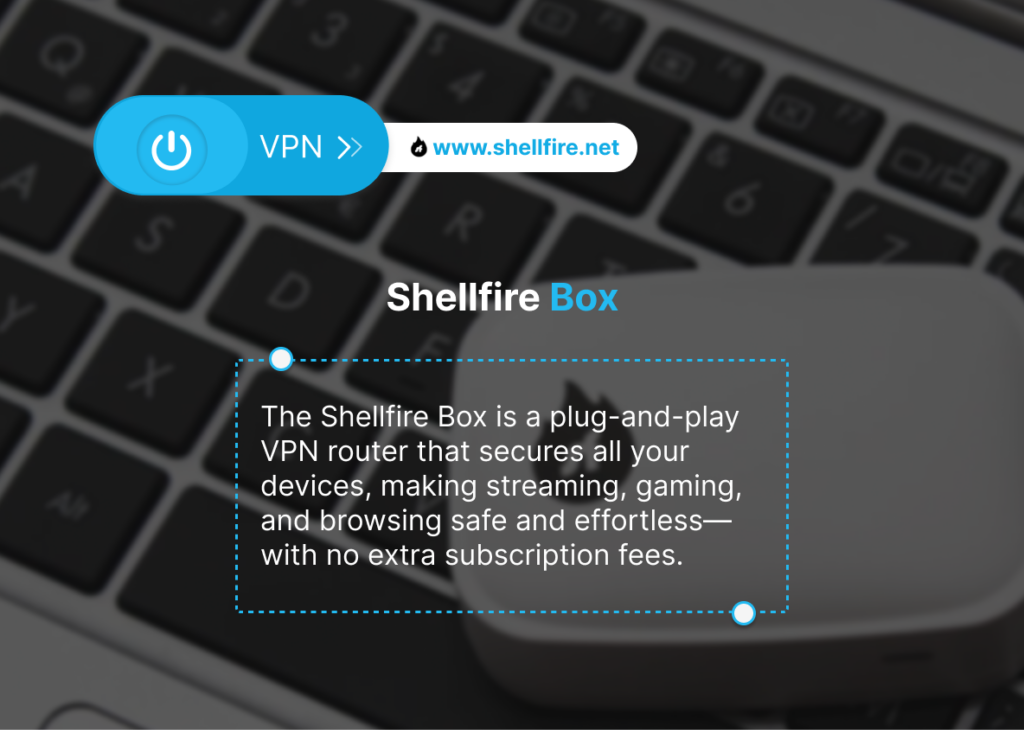
Gamers usually care about latency more than raw throughput. The WireGuard protocol helps Surfshark keep ping times stable, even on crowded networks. Bitdefender VPN handles casual gaming fine, but competitive players may run into lag spikes or inconsistent routing. If you’re gaming on consoles, combining a fast VPN with a hardware router such as the Shellfire Box can help avoid the hassle of per-device configuration.
Best VPN for Remote Work
For hybrid workers or anyone logging into corporate platforms, reliability and security are crucial. Surfshark offers unlimited devices, strong encryption and useful options like split tunneling. Bitdefender VPN integrates smoothly with the antivirus suite, which some users find reassuring. The only potential drawback is the 10-device limit, which might be restricting in households with many laptops, phones or tablets.
Best VPN for Budget-Conscious Users
Both providers offer competitive pricing, but Surfshark generally provides a better long-term value because of its unlimited device policy. Bitdefender VPN is still cost-effective, particularly if you already subscribe to Bitdefender’s security products and want a single dashboard for everything.
Best VPN for Censorship-Heavy Countries
If you live in or travel to regions with strict internet controls, obfuscation makes a real difference. Surfshark includes modes specifically built for these environments, which boosts its reliability in places like China or Russia. Bitdefender VPN lacks dedicated obfuscation, so results vary. A hardware VPN router such as the Shellfire Box can simplify deployments in such areas, especially if you need to protect multiple devices together.
Conclusion
Surfshark and Bitdefender VPN reflect two different ideas of what a VPN should be. Surfshark is designed as a feature-rich, flexible service that adapts well to varied household use, frequent streaming, and multi-device setups. Its strength lies in consistency and breadth rather than specialization. Bitdefender VPN, in contrast, fits more naturally into an existing security ecosystem, where the VPN plays a supporting role rather than acting as the central privacy tool users actively manage day to day.
The more suitable option depends on how central the VPN is to your online habits. Users who rely heavily on a VPN for streaming, travel, or protecting many devices tend to appreciate the control and scope that Surfshark offers. Those who mainly want encrypted traffic alongside antivirus protection may find Bitdefender VPN sufficient and convenient. Neither approach is wrong. The deciding factor is whether you view the VPN as a core service you actively use or a background feature that complements broader security software.
For some users, simplicity outweighs both models. Options like the Shellfire VPN app or the Shellfire Box VPN router illustrate a third path, one focused on protecting entire networks with minimal ongoing decisions. Ultimately, the best choice comes from aligning expectations with real usage. When a VPN fits naturally into your routine instead of demanding attention, it tends to deliver long-term satisfaction regardless of brand or feature count.
