
Atlas VPN vs Surfshark
It’s not every day you compare a VPN that quietly disappeared with one that continues to evolve. Atlas VPN started as a bold freemium virtual private network, offering rotating IP addresses, unlimited device connections, and a clean, easy-to-use interface, an attractive mix for beginners exploring online privacy. However, after gaining traction, Atlas was eventually absorbed into its parent brand, leaving users uncertain about its future and long-term support. On the other hand, Surfshark has steadily risen through the VPN ranks, expanding its global infrastructure, adding cutting-edge privacy tools, and maintaining competitive pricing.
So, what made Atlas worth trying, and does Surfshark really deserve its current reputation? That’s exactly what we’ll explore here. Even though Atlas VPN is now discontinued, its brief journey still offers valuable lessons, especially for users comparing simplicity versus advanced functionality, or evaluating free VPNs against premium services. We’ll examine how both performed at their best, and why Surfshark continues to be one of the most popular choices for multi-device households, frequent streamers, and travelers who value strong privacy. We’ll also highlight a few other VPN categories for those who prioritize open-source transparency, plug-and-play security, or lightweight all-in-one protection.
Table of Contents
Key Points
- Atlas VPN appealed to users with its free tier, low-cost premium plans, SafeSwap IP rotation, and basic ad-blocking. However, its small server network and inconsistent performance limited its growth, and the service has since been discontinued.
- Surfshark supports unlimited device connections, operates over 3,200 servers in about 100 countries, and includes advanced privacy features like MultiHop, CleanWeb, IP Rotator, and NoBorders, making it ideal for streaming, gaming, and travel.
- Other VPN options exist for users who prefer open-source transparency or a simpler, plug-and-play VPN setup instead of a long list of advanced features.
Quick Comparison: Atlas VPN vs Surfshark
| Criteria | Atlas VPN | Surfshark |
|---|---|---|
| Price (long term) | Free tier available; paid plans from roughly US$1.99/month on two-year plan | About US$2.30 per month on a two-year plan |
| Money-back guarantee | Thirty days for premium users | Thirty days |
| Server count & countries | Approx. 1,000 servers in 42 countries | Over 3,200 servers in about 100 countries |
| Device limit | Unlimited | Unlimited |
| Supported protocols | WireGuard, IKEv2 | WireGuard, OpenVPN, IKEv2 |
| Unique features | SafeSwap IP rotation, data breach monitor, basic ad blocking | CleanWeb ad and malware blocking, MultiHop, IP Rotator, static and dedicated IP options |
| Streaming support | US Netflix only | Unblocks Netflix, Hulu, Disney+, BBC iPlayer, Prime Video and more |
| Status | Discontinued; users migrated to NordVPN | Active and expanding |
| Best suited to | Former free users and casual browsing | Streamers, multi-device households and power users |
At a glance, Surfshark surpasses Atlas VPN in nearly every key area. While Atlas’s free tier and unlimited connections were attractive, its limited server footprint and eventual shutdown meant it couldn’t keep pace. Surfshark, in contrast, has continued to expand its infrastructure and roll out performance upgrades globally. For users choosing a VPN, Surfshark remains a strong contender, while Atlas now serves mainly as a reminder of the balance between affordability and sustainability in the VPN market.
That said, if you’re exploring other alternatives, Shellfire VPN is worth noting. While it may not include advanced extras like MultiHop or rotating IPs, it focuses on delivering reliable core protection and easy setup. For users who want a straightforward, no-nonsense VPN that simply works, Shellfire provides a clean and effective solution that covers the essentials without unnecessary complexity.
Infrastructure & Global Coverage
| Metric | Atlas VPN | Surfshark |
|---|---|---|
| Total servers | Approx. 1,000 | Over 3,200 |
| Countries covered | About 42 | About 100 |
| Americas coverage | Roughly 10 countries | More than 20 countries |
| Europe coverage | Roughly 20 countries | More than 40 countries |
| Asia-Pacific coverage | About 10 countries | More than 25 countries |
| Middle East/Africa | Very limited | Includes UAE, Saudi Arabia, and South Africa |
| Server types | Standard and SafeSwap rotating IP servers | RAM-only servers with 10 Gbps ports |
| Dedicated/static IP | Not available | Available as paid add-on |
Atlas VPN ran a modest server network primarily focused on North America and Europe. While its SafeSwap servers, designed to automatically rotate your IP for added anonymity, were an innovative concept, they were limited in number and often overcrowded. Surfshark, by contrast, offers a far more robust global footprint, including less common locations like Chile and Albania. Its RAM-only servers and 10-Gbps connections translate to consistently fast performance and improved security. For digital nomads or anyone needing access across continents, Surfshark’s reach makes a tangible difference in speed and reliability.
If you’re comparing global coverage across leading providers, don’t miss our detailed ExpressVPN vs NordVPN comparison, which explores regional performance and server infrastructure in greater depth.
Speed & Performance
| Metric | Atlas VPN | Surfshark |
|---|---|---|
| Download speeds | Variable; sometimes slightly higher than baseline, but uploads slowed considerably | Consistently fast – around 199 Mbps in New York, 232 Mbps in London, and 176 Mbps in Hong Kong |
| Upload speeds | Often three times slower than an unprotected connection | High – averaging around 200 Mbps |
| Latency impact | Moderate and inconsistent | Low; roughly 8 ms to London, 78 ms to New York |
| Protocols supported | WireGuard, IKEv2 | WireGuard, OpenVPN, IKEv2 |
| Streaming performance | Unreliable; limited to US Netflix | Excellent across multiple streaming platforms |
The performance gap between the two VPNs is easy to notice. Atlas VPN occasionally delivered bursts of solid speed, but uploads and latency were inconsistent, making it less ideal for gaming or large data transfers. Surfshark, leveraging its larger global network and the efficient WireGuard protocol, maintained smooth, high-speed connections across regions. Whether you’re streaming 4K content, sharing large files, or gaming online, Surfshark provides stable performance that feels faster and more dependable day to day.
Security & Privacy
| Feature | Atlas VPN | Surfshark |
|---|---|---|
| Encryption | AES-256 and ChaCha20 | AES-256 and ChaCha20 |
| Protocols | WireGuard, IKEv2 | WireGuard, OpenVPN, IKEv2 |
| Kill switch | Available on desktop and mobile | Available on all platforms |
| Split tunnelling | Android only | Available on Windows and Android |
| Audits | Partial audit for Windows and iOS apps | Independent audits covering apps and infrastructure |
| Logging policy | Claims no activity logs | No-logs policy with RAM-only servers |
| Additional tools | SafeSwap IP rotation, data breach monitor, basic ad/malware blocking | CleanWeb blocker, MultiHop, IP Rotator, NoBorders and Camouflage modes, Smart DNS |
From a security standpoint, both VPNs implemented strong encryption standards and modern tunnelling protocols. However, Surfshark goes further with RAM-only servers, ensuring no data is ever written to physical disks, an important advantage for privacy-conscious users. The company has also undergone independent audits of both its apps and infrastructure, enhancing trust and transparency. Meanwhile, Atlas VPN offered promising ideas such as SafeSwap and breach monitoring, but lacked independent verification and more robust privacy controls. For users who want proven, verifiable privacy protection, Surfshark stands out as the more secure option.
If you’d like to dig deeper into how Surfshark stacks up against other premium providers, our Surfshark vs NordVPN comparison explores their security architectures, audit histories, and no-logs implementations in more detail.
Streaming Performance
| Platform | Atlas VPN | Surfshark |
|---|---|---|
| Netflix (US) | Yes, HD only | Yes, HD and 4K |
| Netflix (other regions) | No | Yes – UK, Canada, Japan and more |
| Hulu | No | Yes, HD |
| Amazon Prime Video | No | Yes, HD and 4K |
| Disney+ | No | Yes, HD and 4K |
| BBC iPlayer | No | Yes, HD |
| Other services (YouTube TV, DAZN) | Unreliable | Stable access |
| Smart DNS / Smart TV | No | Smart DNS included |
Atlas VPN wasn’t designed for streaming enthusiasts. Apart from US Netflix, most major platforms were inaccessible, and the lack of Smart DNS made watching content on smart TVs or consoles cumbersome. Surfshark, on the other hand, excels in streaming, reliably unblocking Netflix, Disney+, Hulu, Prime Video, and more in HD and 4K. With Smart DNS built-in, users can also stream securely on devices that don’t natively support VPN apps. Whether you’re catching up on BBC iPlayer abroad or watching anime on Netflix Japan, Surfshark consistently delivers a smooth experience.
Looking for reliable streaming access across all devices?
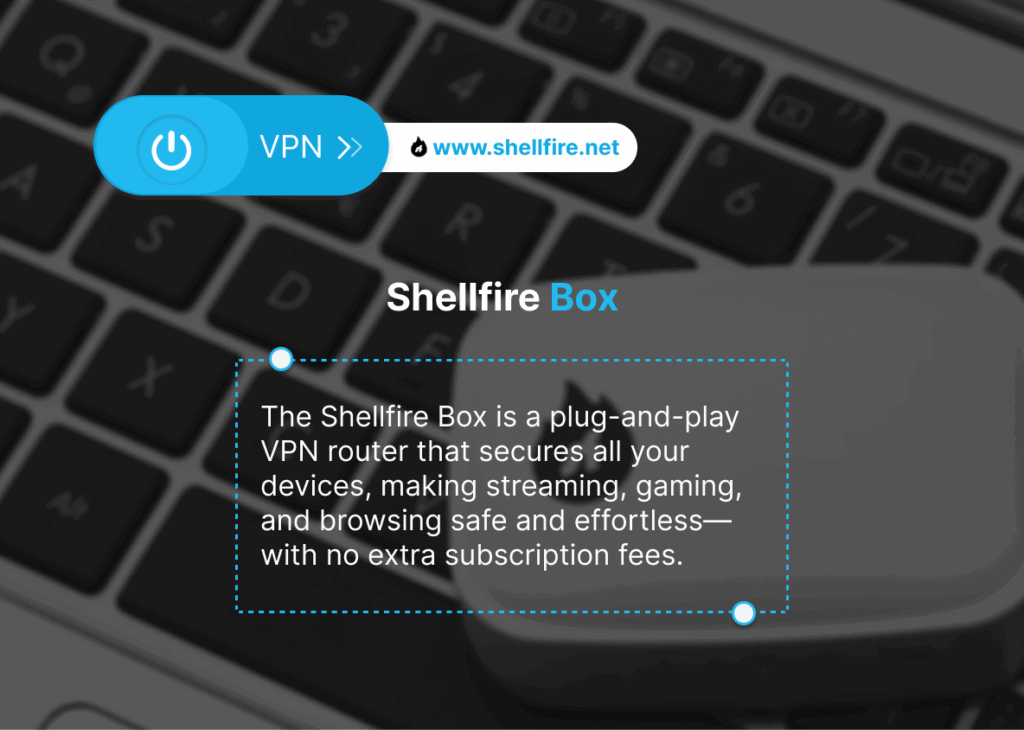
Our Shellfire Box helps you enjoy uninterrupted access to your favorite streaming services on any device — even those without native VPN support. It’s a plug-and-play way to maintain privacy while streaming freely.
Platform Compatibility
| Platform / Device | Atlas VPN | Surfshark |
|---|---|---|
| Windows & macOS | Yes, core features | Yes, full features |
| Linux | No official client | Yes, GUI and CLI clients |
| iOS & Android | Yes, basic features | Yes, complete functionality |
| Browser extensions | No | Chrome, Firefox and Edge extensions |
| Streaming devices | Android TV app | Apps for Fire TV, Apple TV and Android TV, plus Smart DNS |
| Game consoles | Manual DNS setup only | Smart DNS and router configuration |
| Router support | None | Manual setup on supported routers |
| Simultaneous connections | Unlimited | Unlimited |
Atlas VPN offered apps for the main operating systems but lacked support for Linux, routers, and browser extensions. This simplicity suited beginners but limited flexibility for advanced users. Surfshark provides broader platform coverage and more complete integration. It supports Linux with both GUI and command-line clients, offers Smart DNS for consoles and TVs, and can be installed on routers to protect an entire household network. Whether you want to secure a single laptop or every connected device at home, Surfshark provides a scalable solution that’s easy to manage.
For users who prefer a simpler, hardware-based setup, the Shellfire Box delivers automatic protection for every device on your Wi-Fi network, no apps, no logins, and no configuration required. It’s ideal for households or small offices looking for hands-off privacy without technical complexity.
Performance in Censorship-Heavy Countries
| Country | Atlas VPN | Surfshark |
|---|---|---|
| China | Blocked or unreliable | Works occasionally using Camouflage or NoBorders modes |
| Iran | Blocked | Often functional |
| United Arab Emirates | Blocked | Operates with specialized servers |
| Russia | Blocked | Generally works |
| Turkey | Unreliable | Operational using NoBorders |
For users living in or traveling to countries with heavy internet censorship, VPN obfuscation tools are essential. Atlas VPN lacked these capabilities, making it ineffective in restricted regions such as China or Iran. Surfshark, however, integrates NoBorders and Camouflage modes to disguise VPN traffic as regular HTTPS data. While no VPN can guarantee total access under all conditions, Surfshark’s obfuscation tools significantly improve connectivity in restrictive environments. It’s important to install and test the app before traveling, as VPN downloads may be blocked within those regions.
User Experience & Apps
| Aspect | Atlas VPN | Surfshark |
|---|---|---|
| Interface design | Simple and clean | Modern and intuitive |
| Ease of use | Very easy with minimal settings | Easy yet highly customizable |
| Server selection | Basic list view with limited filters | List, search, favorites, and specialty servers |
| Settings and customization | Basic; few toggle options | Comprehensive, with access to CleanWeb, MultiHop, IP Rotator and more |
| Stability and bugs | Stable but occasional disconnects | Very stable, rare issues |
| Language support | English only | Multiple languages available |
Atlas VPN focused on minimalism: its apps were lightweight, straightforward, and ideal for casual users who preferred simplicity over customization. However, that simplicity also meant fewer settings and less control. Surfshark strikes a stronger balance between usability and depth. Its interface is polished and fast, with advanced options available just below the surface. Whether configuring MultiHop routes or selecting a favorite server, the process feels smooth and intuitive. Plus, multilingual support makes it accessible to a global audience, a feature Atlas VPN never implemented.
For users who prefer plug-and-play privacy with zero configuration, the Shellfire Box offers a unique solution. It’s a small hardware device that automatically encrypts all traffic on your home network, no app installation or tech skills needed. While it doesn’t match Surfshark’s extensive software customization, it’s ideal for households that value simplicity, shared device protection, and consistent online safety for every connected device.
Customer Support
| Support channel | Atlas VPN | Surfshark |
|---|---|---|
| Live chat | Premium users only; limited hours | 24/7 for all users |
| Email support | Yes, but slow response times | Yes, typically within 24 hours |
| Knowledge base | Basic articles only | Extensive guides and tutorials |
| Tutorial videos | Not available | Yes, detailed walkthroughs |
| Community/forum | None | Active user community and social media presence |
Customer support was another major difference between the two providers. Atlas VPN restricted its live chat to paid users during limited hours, and email replies often took time. Its help articles were sparse and didn’t address advanced troubleshooting. Surfshark, by contrast, offers 24/7 live chat for all users, along with a rich knowledge base, video tutorials, and an active online community. Quick, accessible support makes a significant difference, especially for beginners configuring VPNs across multiple platforms or devices.
Additional Features
| Feature | Atlas VPN | Surfshark |
|---|---|---|
| Ad and tracker blocking | Shield – basic blocker | CleanWeb – advanced ad and malware blocker |
| SafeSwap / IP rotation | SafeSwap rotating IP servers | IP Rotator – dynamic IP switching |
| MultiHop (double VPN) | Not available | Yes, dynamic MultiHop feature |
| Data breach monitor | Yes, alerts users if their email appears in leaks | Yes, available as add-on |
| Split tunnelling | Android only | Windows and Android |
| Obfuscation | Not available | Camouflage and NoBorders modes |
| Static/Dedicated IP | Not available | Available as paid upgrade |
| Kill switch | Yes | Yes |
Atlas VPN introduced creative ideas like SafeSwap servers and a built-in data breach monitor, but it lacked several premium functions that have become standard among leading VPN providers. Surfshark includes a far broader toolkit: MultiHop for double encryption, IP Rotator for enhanced anonymity, and obfuscation tools for use in restrictive countries. Combined with CleanWeb’s malware and tracker blocking, Surfshark delivers a more complete privacy suite. It’s designed for real-world needs, from safe public Wi-Fi browsing to consistent streaming and secure file transfers.
For users who don’t need an extensive feature set and simply want a fast, straightforward VPN for everyday browsing, Shellfire VPN is a practical alternative. It prioritizes core functionality, strong encryption, simple connection management, and reliable servers, without adding unnecessary layers. This makes it ideal for anyone seeking lightweight privacy protection that “just works.”
VPN Use Cases: Best Options for Streaming, Gaming, Torrenting and More
| Use case | Atlas VPN | Surfshark |
|---|---|---|
| Streaming | ⭐⭐ | ⭐⭐⭐⭐⭐ |
| Torrenting / P2P | ⭐⭐⭐ | ⭐⭐⭐⭐ |
| Gaming | ⭐⭐ | ⭐⭐⭐⭐ |
| Remote work | ⭐⭐ | ⭐⭐⭐⭐⭐ |
| Budget-conscious | ⭐⭐⭐⭐ | ⭐⭐⭐⭐ |
| Censorship bypass | ⭐ | ⭐⭐⭐⭐ |
Best VPN for Streaming
When it comes to streaming, Surfshark clearly leads the pack. It reliably unblocks content libraries from Netflix, Hulu, Disney+, BBC iPlayer, Prime Video, and more, all in HD and 4K quality without buffering issues. Its Smart DNS feature also enables streaming on smart TVs and consoles without needing a VPN app. Atlas VPN, by contrast, could only access US Netflix and often struggled with other services, frequently resulting in playback errors or connection drops. With Atlas now discontinued, Surfshark remains a go-to choice for streaming enthusiasts seeking speed, variety, and reliability.
That said, not everyone needs to unlock dozens of regional streaming catalogs. If your main goal is simply to secure your smart TV or home media setup with minimal hassle, the Shellfire Box is a great fit. It encrypts your connection automatically, letting you stream safely without installing apps or adjusting settings, perfect for families or non-technical users who want effortless privacy protection for entertainment devices.
Best VPN for Torrenting / P2P
For torrenting and peer-to-peer file sharing, users need both speed and privacy assurance. Atlas VPN technically supported P2P traffic, but slow upload speeds and unclear logging transparency made it less appealing for regular use. Surfshark performs much better here, it allows torrenting on all servers, maintains consistently high transfer speeds, and enforces a strict no-logs policy verified by third-party audits. Even though Surfshark doesn’t offer port forwarding, its combination of speed, RAM-only servers, and no-logs infrastructure makes it a reliable choice for secure and efficient torrenting.
Best VPN for Gaming
Gamers depend on low latency and stable connections, and Surfshark delivers on both fronts with its 10 Gbps servers and WireGuard protocol optimization. Latency remains impressively low even across continents, providing responsive gameplay for competitive players. Atlas VPN lacked this network capacity and often introduced lag or connection spikes during peak hours. For serious gamers or travelers who need dependable ping performance, Surfshark’s global footprint and auto-select server function make it the superior choice.
However, if you’re a casual gamer who values simplicity over fine-tuning, the Shellfire Box provides an easy, hardware-based VPN solution. It secures every console and device on your home network simultaneously, eliminating manual setup while maintaining privacy, a smart option for shared households or local multiplayer setups.
Best VPN for Remote Work
Remote professionals need a VPN that supports productivity tools, video calls, and cloud services without interruptions. Atlas VPN could handle light workloads but lacked split tunnelling on desktop, forcing all traffic through the VPN and occasionally reducing performance. Surfshark provides better flexibility with split tunnelling on Windows and Android, fast global servers, and CleanWeb protection against phishing or malicious ads. For remote workers seeking a blend of security, performance, and reliability, Surfshark remains a dependable choice.
Best VPN for Budget-Conscious Users
Atlas VPN earned early attention for its free plan and low-cost premium tiers, ideal for users wanting basic protection without paying much. Since its merger with NordVPN, those standalone plans no longer exist. Surfshark, while not free, continues to offer one of the best value-for-money VPN subscriptions on the market. With unlimited devices, premium security, and global access at roughly $2.30 per month, it remains one of the most cost-effective premium VPNs.
Best VPN for Censorship-Heavy Countries
In restrictive environments such as China, Iran, or the UAE, few VPNs manage to stay online consistently. Atlas VPN lacked the obfuscation features required to bypass deep packet inspection, leaving most connections blocked. Surfshark integrates NoBorders and Camouflage technologies that disguise VPN traffic to bypass government firewalls. While performance may vary, these tools give users a strong chance to maintain access to global content and communication platforms even under heavy censorship. Always install and test your VPN before traveling to such regions, as app stores may be restricted.

Can a discontinued VPN like Atlas VPN still be used safely?
Once a VPN service is discontinued, continued use becomes risky. Security updates stop, vulnerabilities go unpatched, and privacy policies may change without clear disclosure. In Atlas VPN’s case, existing users were migrated into NordVPN’s ecosystem, which remains active and reputable. However, anyone still using older Atlas applications should uninstall them immediately and switch to a supported VPN like Surfshark or Shellfire VPN to ensure ongoing encryption, secure protocols, and protection from emerging online threats.
Running an unsupported VPN client exposes users to potential DNS leaks, outdated encryption libraries, and broken server connections. Moving to a maintained provider guarantees up-to-date protocols like WireGuard and constant server refreshes, which are critical for both performance and privacy.
What’s the difference between VPN features like MultiHop, SafeSwap, and IP Rotator?
Although these terms sound similar, they serve different privacy functions. MultiHop (or double VPN) routes your traffic through two separate VPN servers, adding an extra layer of encryption and making tracing nearly impossible. SafeSwap, originally from Atlas VPN, rotated your IP address periodically while staying connected to one server, useful for basic anonymity but limited in scale. IP Rotator, Surfshark’s evolution of this concept, changes your IP dynamically during sessions without disconnecting, enhancing privacy while maintaining performance.
Each of these tools increases anonymity, but they impact speed differently. MultiHop slightly reduces performance due to dual encryption, whereas IP Rotator keeps speeds stable while still masking your browsing footprint, a balance appreciated by advanced VPN users and frequent travelers alike.
Conclusion
Comparing Atlas VPN and Surfshark is like contrasting an early prototype with a refined, full-featured successor. Atlas was simple, affordable, and appealing to newcomers, but its small network and limited innovation eventually led to its absorption into NordVPN. Surfshark, meanwhile, continues to grow, offering advanced privacy tools, broad international coverage, and consistent speed for everything from streaming to remote work. For most users today, it remains one of the best all-round VPN providers available.
Still, not everyone needs a highly configurable VPN. If you prefer effortless setup and automatic protection across all your devices, the Shellfire Box is a smart, hardware-based alternative that protects your entire home network with zero maintenance. And for travelers, the Shellfire VPN app provides secure, one-tap privacy on the go. While these solutions don’t aim to replace Surfshark’s depth, they excel at what matters most to many users, simple, reliable, always-on protection.
